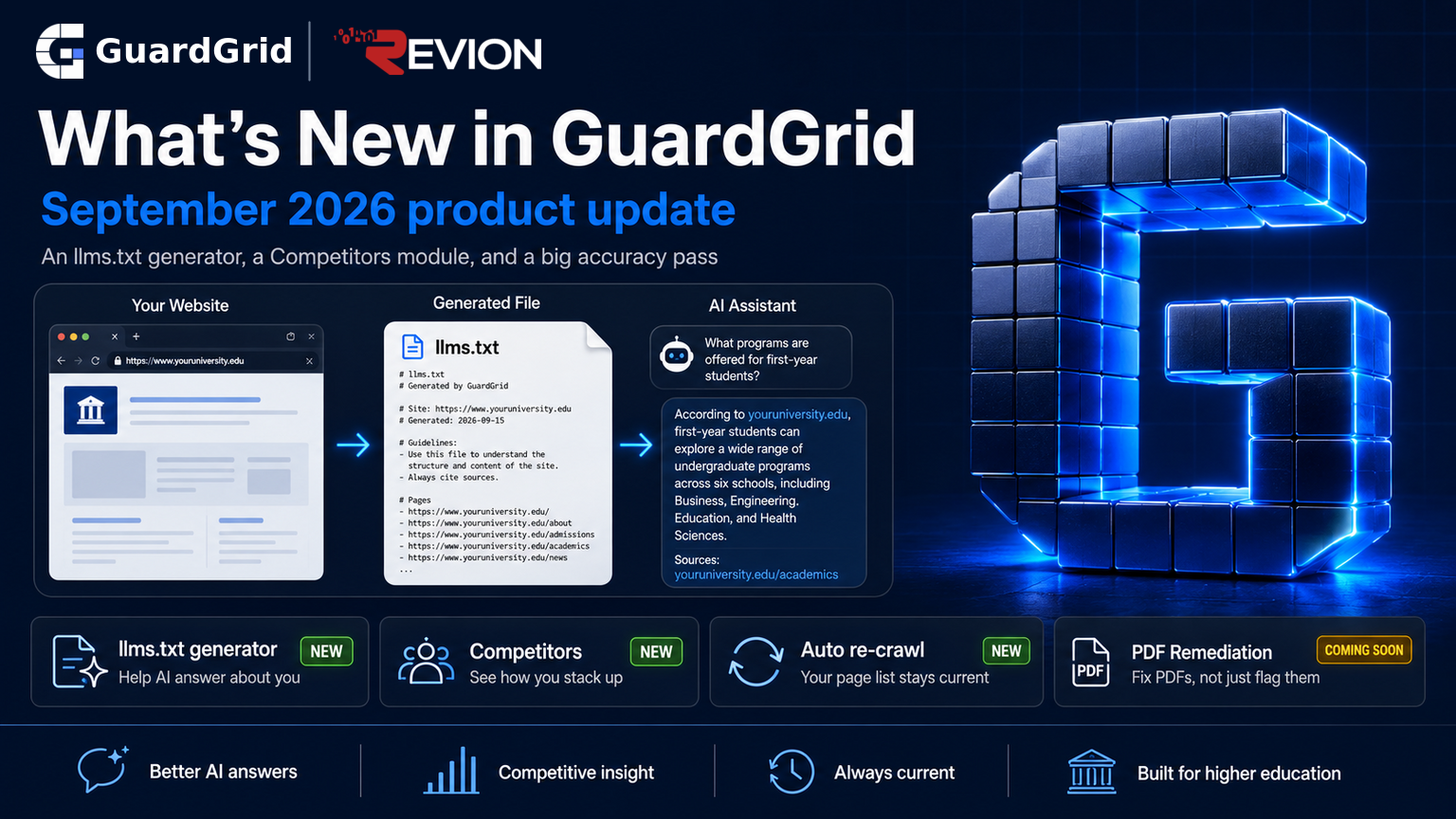
What's New in GuardGrid: August 2026
AI visibility measurement across answer engines, Content Gaps, a topic graph for large sites, and Visual Review that marks each violation on the page.
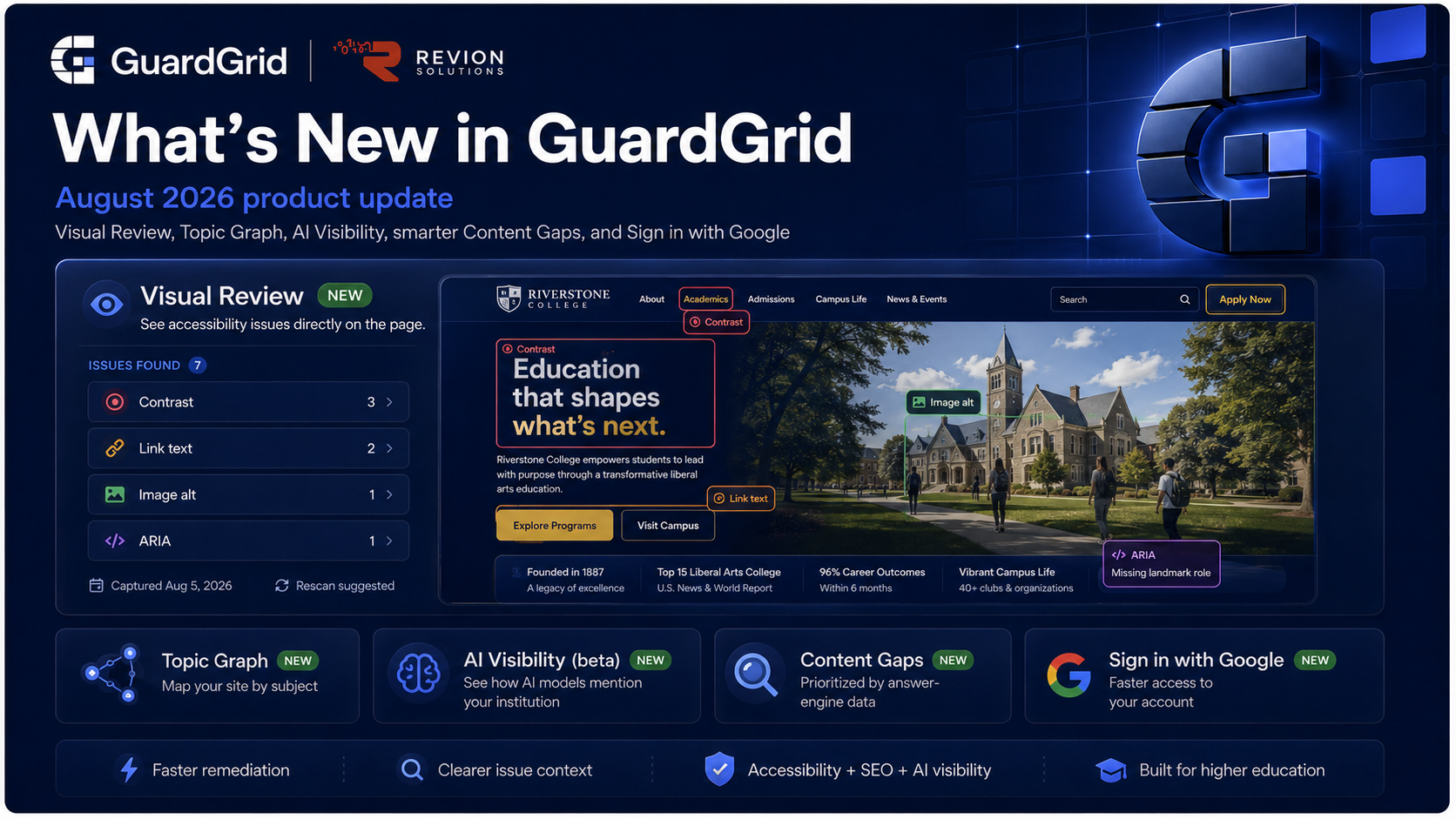
GuardGrid is a web governance platform for higher education, with modules for accessibility, SEO, privacy, brand and AI visibility, and more, and this is our regular two-week product update. The July digest was a large catch-up covering several months of releases. This issue is tighter, but it lands two things that matter: a new way to see accessibility issues directly on the page, and the Answer Engine work we teased in July going live. Everything below is already available in your account.
Visual Review: see accessibility issues on the page
The biggest addition this cycle is Visual Review. Open any scanned page in Page Explorer and click Visual review.
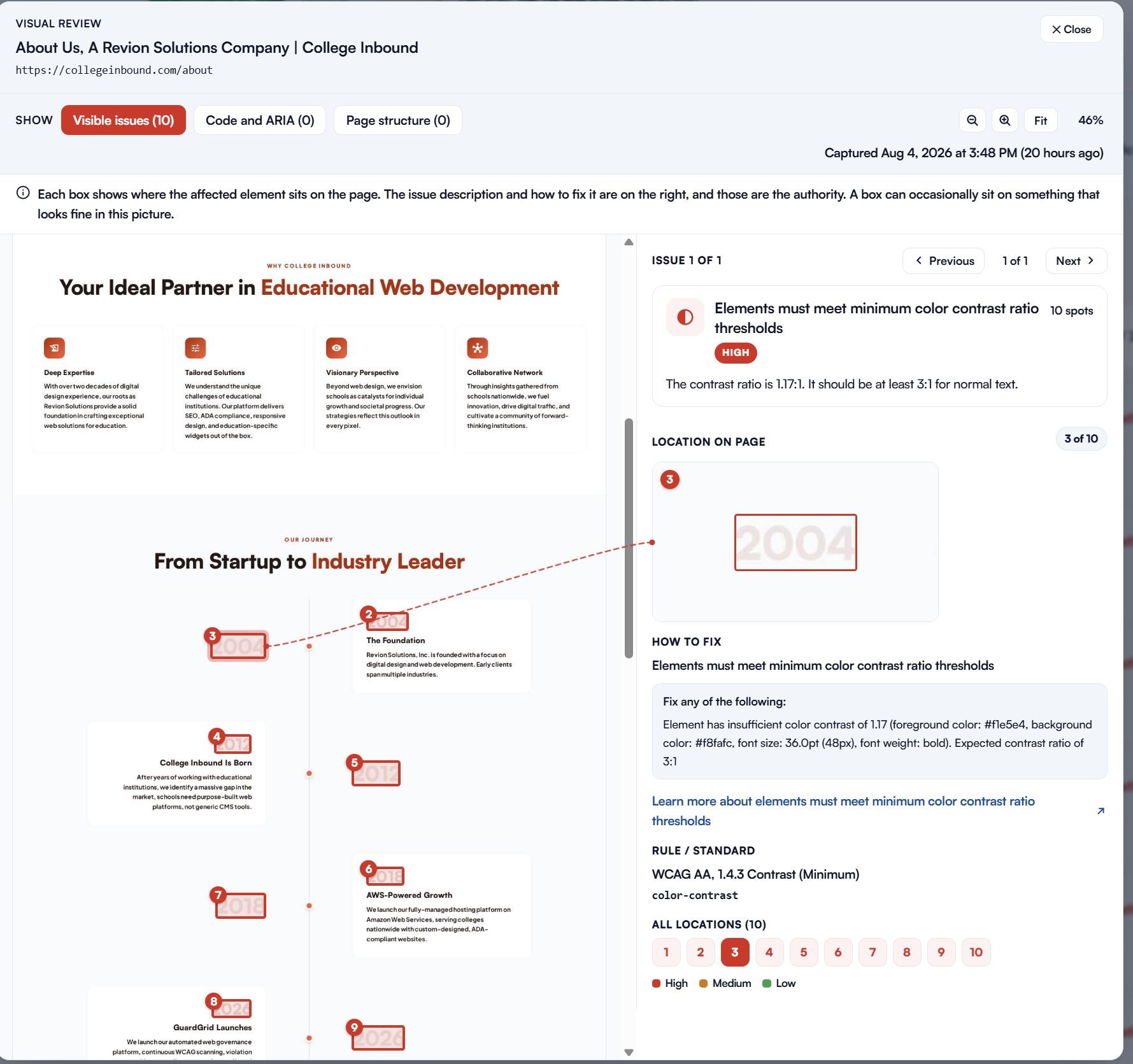
Visual Review opens a full-page screenshot of that page with a numbered box drawn around every element where an accessibility issue was found.
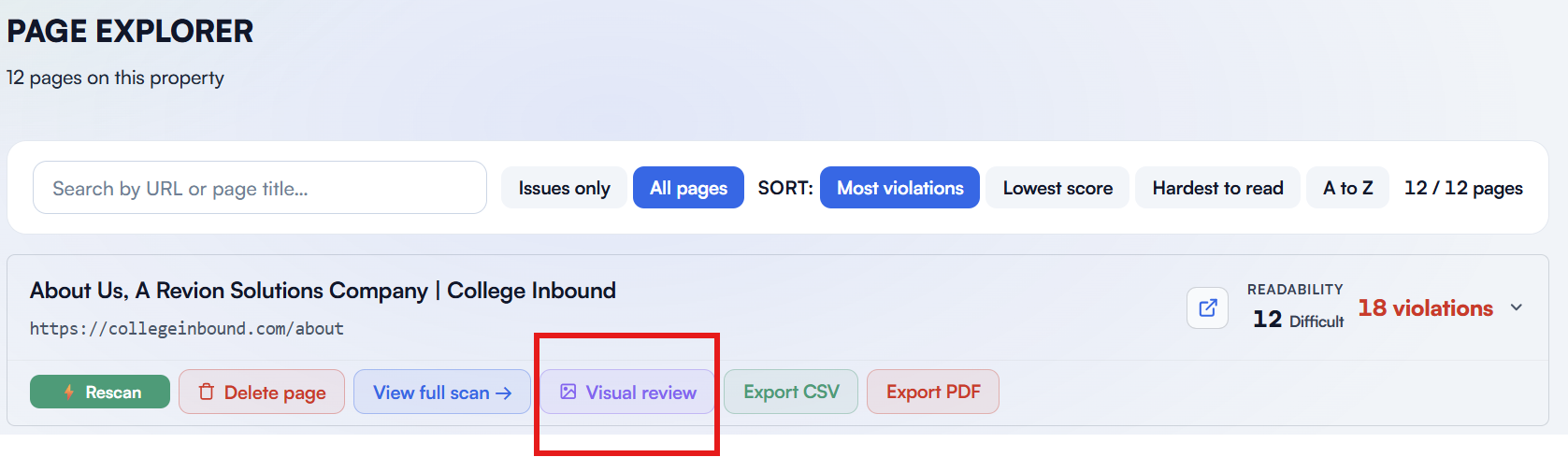
Click a box to read its issue, or click an issue to light up every place it appears on the page. The issues you can judge by eye, contrast, link text, image alternatives, are shown by default, with code, ARIA, and page-structure issues one click away. This is a meaningful change for WCAG remediation. A list of violations tells you what is wrong; Visual Review shows you where, in context, so you can hand a page to a designer or content editor and point at exactly what needs to change. For teams working against the ADA Title II deadlines, that shortens the distance between a scan result and a fix.
Captures are automatic and do not slow your scans. GuardGrid takes the screenshot during a scan, checks whether the page actually changed since the last one, and reuses the existing capture when nothing has. Every capture is stamped with its date and time. If you edit a page after GuardGrid photographed it, Visual review shows a note at the top with the capture date and suggests a rescan, so you always know whether you are looking at the current version of the page and never remediate against a stale screenshot.
Topic Graph: your whole site, mapped by subject
Topic Graph maps your entire website into the subjects it actually covers, then gives you a plain-language “your site at a glance” summary of how your content is organized. It is the visual foundation of GuardGrid’s Answer Engine work: the same topic model powers AI Visibility and Content Gaps below.
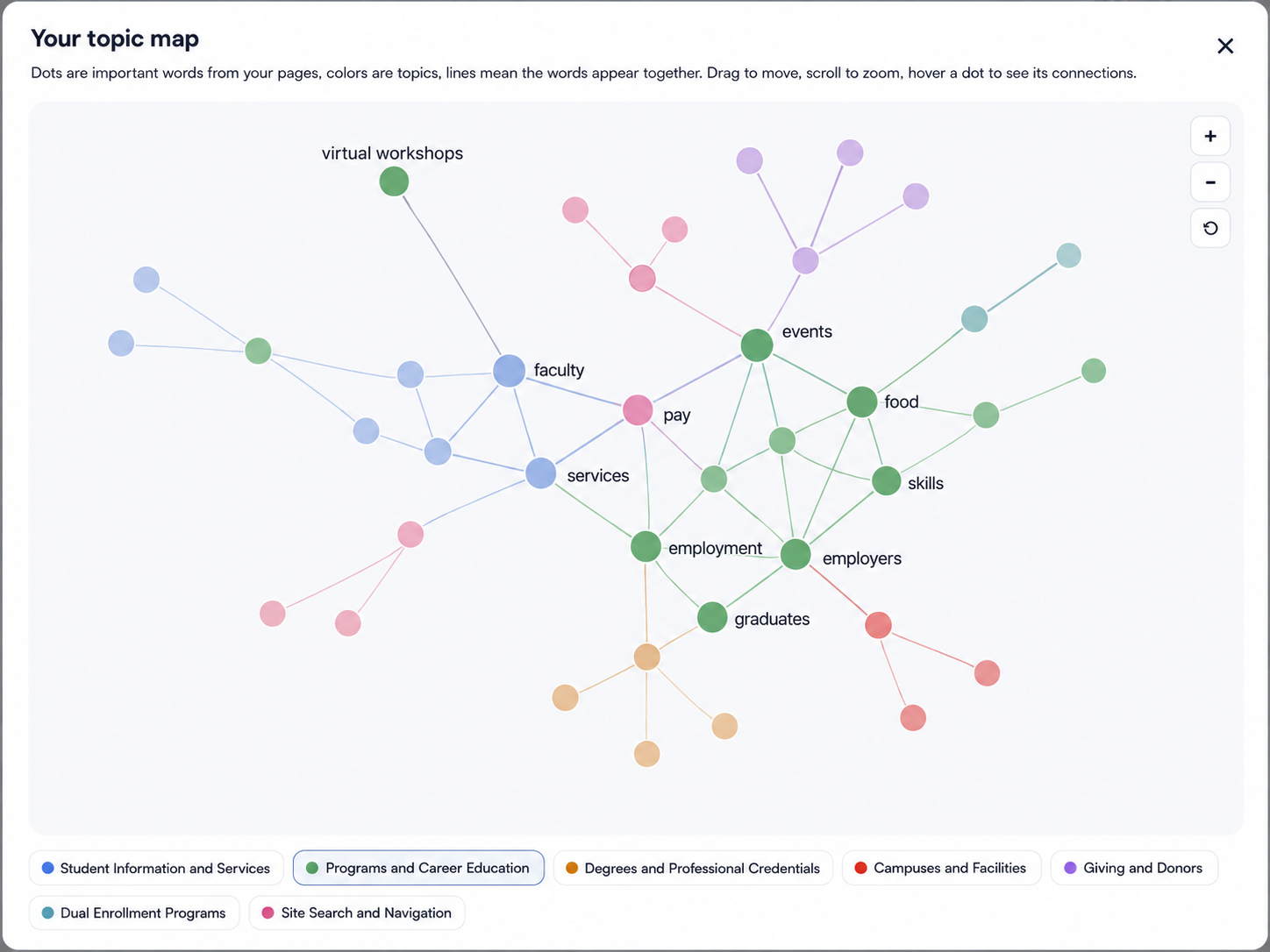
Two improvements landed this cycle. The “your site at a glance” summary now always finishes cleanly rather than stopping mid-word, and it refreshes to the full version the next time you open the tab. And on large sites with many topics, the automatic naming step now runs in smaller batches so every cluster gets its real subject name instead of falling back to Uncategorized. For a large institution with thousands of pages across dozens of departments, that is the difference between a map you can read and one you cannot.
AI Visibility (beta): how AI models see your institution
AI Visibility, now in beta, shows how often AI models name your institution when prospective students ask about colleges like yours, and which schools come up instead.
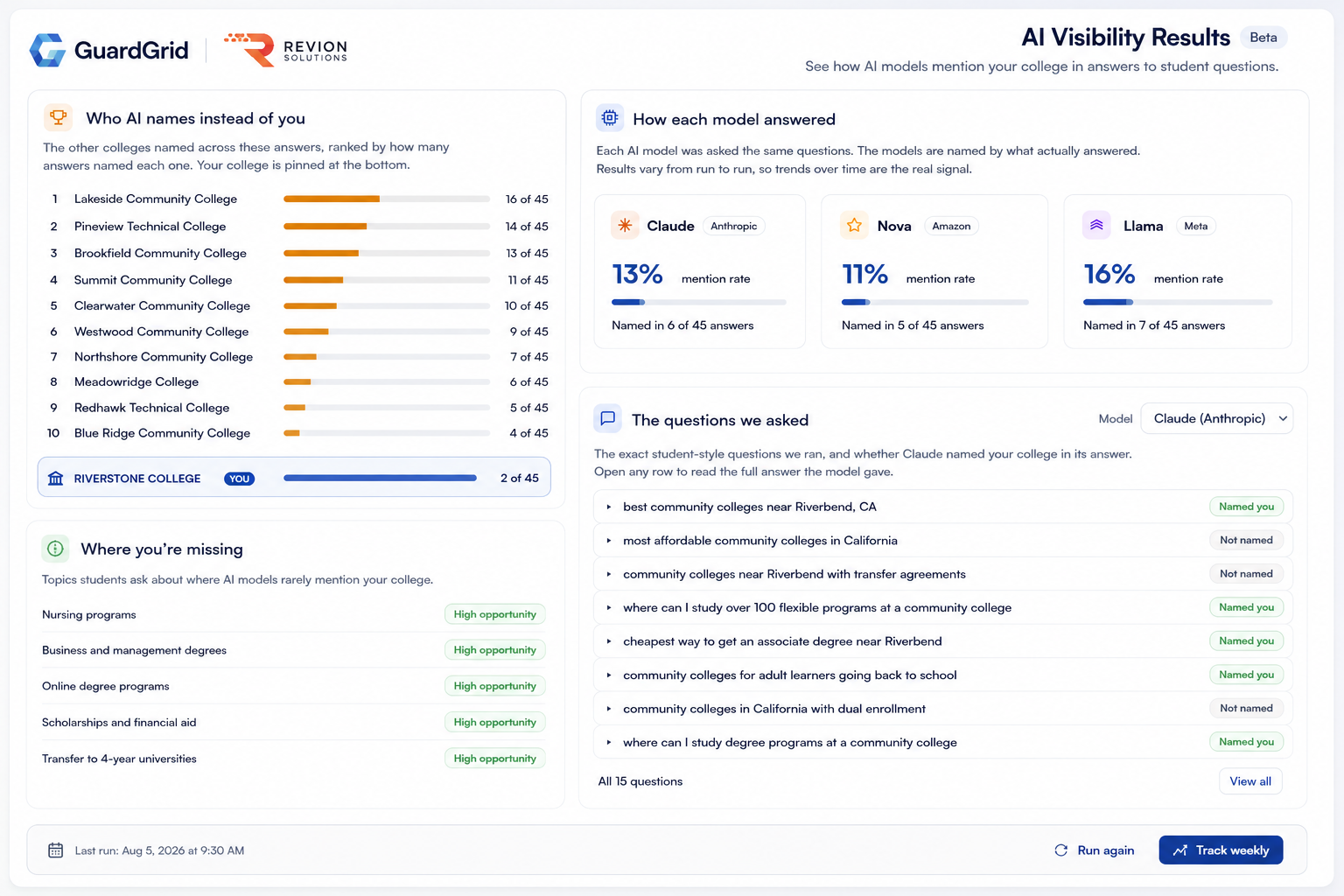
Start a run yourself at any time, or turn on weekly tracking for the specific sites you want measured. Results reflect how each model answered on the day it ran and vary from run to run, so the signal is the trend over time rather than any single result. This is the start of the Answer Engine Optimization work we pointed to in July, focused on how your institution shows up in AI-generated answers, not just traditional search. As more students begin their college search with an AI assistant, this becomes part of the same visibility and reputation picture as accessibility and SEO.
In this release AI Visibility also became fully scoped per site. Questions, run history, and weekly tracking now belong to each site individually, weekly tracking is opt-in per site, and a site with no runs of its own clearly says so rather than borrowing another site’s results.
Content Gaps: prioritized by real answer-engine data
Content Gaps got a lot smarter. Priority now comes from your AI Visibility results rather than a raw page count. A gap is high when two or more unanswered questions relate to that subject, medium for one, and low when none point to it, and each ranked gap shows the actual questions behind it.
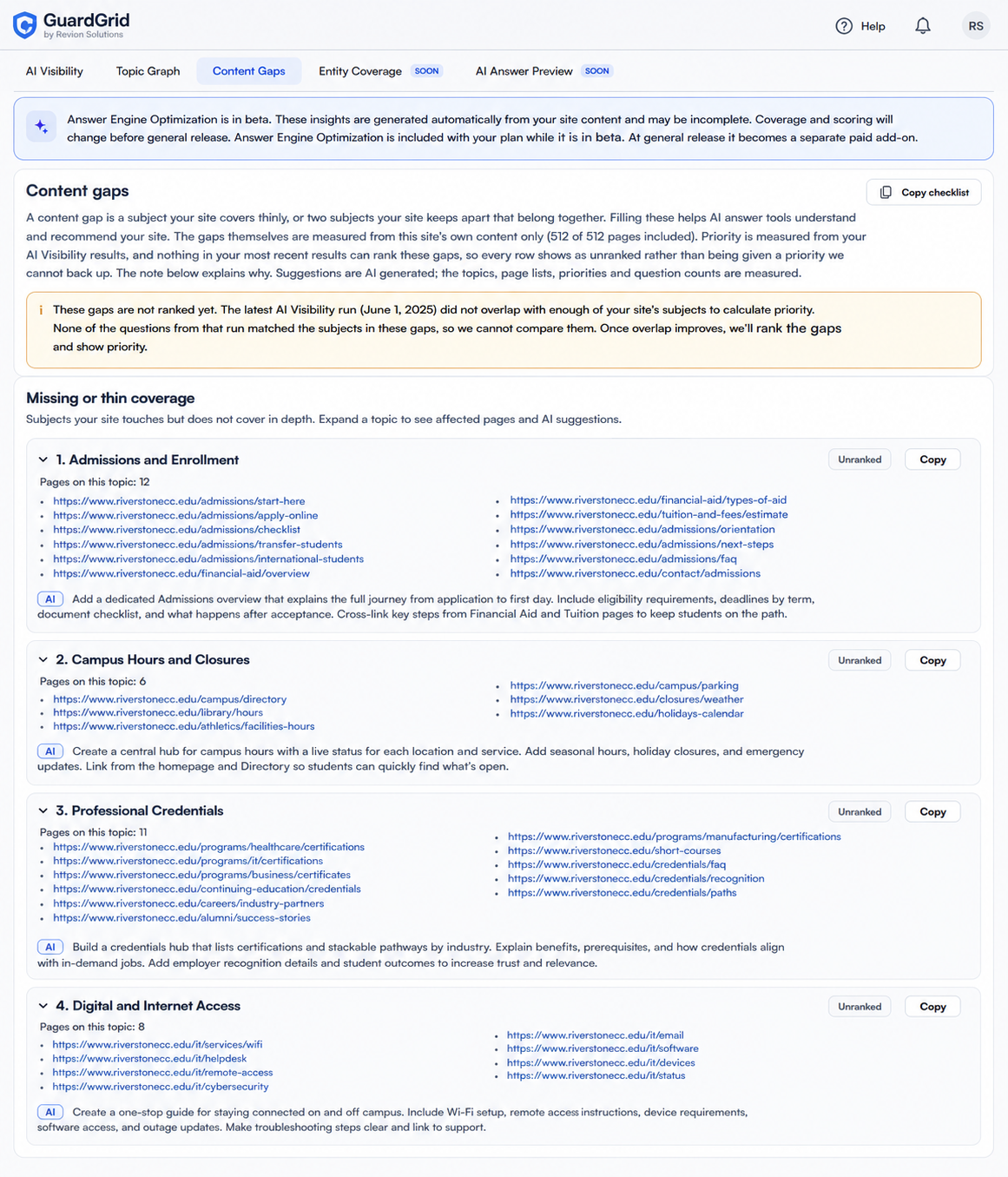
Gaps that cannot be ranked are now labeled with the reason, no completed run, a run that measured a different site, or nothing unanswered, instead of being buried at low priority as if they had been measured. Everything is named in plain language with the real pages behind it. Subjects to write about are separated from subjects to link together, so content work and internal-linking work no longer share one confusing table, and you can copy the whole list or a single gap as a plain-text checklist to paste straight into a ticket or a content plan. On smaller sites, results are clearly labeled directional so you know how much weight to give them.
Sign in with Google
You can now choose Continue with Google on the login screen instead of typing a password. The same email address stays the same account with the same projects, sites, and permissions, and email-and-password sign-in still works exactly as before.
A sharper, more readable interface
We also did a round of polish, and it is worth calling out on an accessibility platform, because we hold our own product to the standard we measure yours against. All secondary text, labels, helper text, empty states, scan status lines, and card subtitles, now renders at full strength instead of semi-transparent, which improves contrast and readability on smaller screens and in bright light. Signing out fully clears your last view, so switching accounts in the same browser tab always loads the right workspace, and if a saved view is no longer available you land on your projects list instead of an error.
One platform for accessibility, SEO, and web governance
GuardGrid brings accessibility, SEO, privacy, brand and AI visibility, and security into one web governance platform, so a higher-education team can manage its whole web presence in one place instead of stitching together separate tools. Accessibility is one pillar of that: GuardGrid scans your entire site, not one page, grades it against WCAG 2.1 AA and WCAG 2.2, produces audit-ready compliance reports, and now shows you every issue on the page with Visual Review. If you are documenting a remediation program ahead of the ADA Title II deadlines, our ADA compliance remediation service builds on the same data, while the SEO, Answer Engine, and privacy modules cover the rest of your governance surface.
See it in your account
GuardGrid customers can use all of this now. Log in to see it in your account. Not using GuardGrid yet? Run a free ADA and WCAG scan to see where your site stands, explore the platform, or compare plans. Questions about any of this? Get in touch.