Fix WCAG Violations Site-Wide with a Child Theme
Theme-level WordPress accessibility remediation cascades across every page and survives updates. How to fix contrast, focus, landmarks, and ARIA at the source.
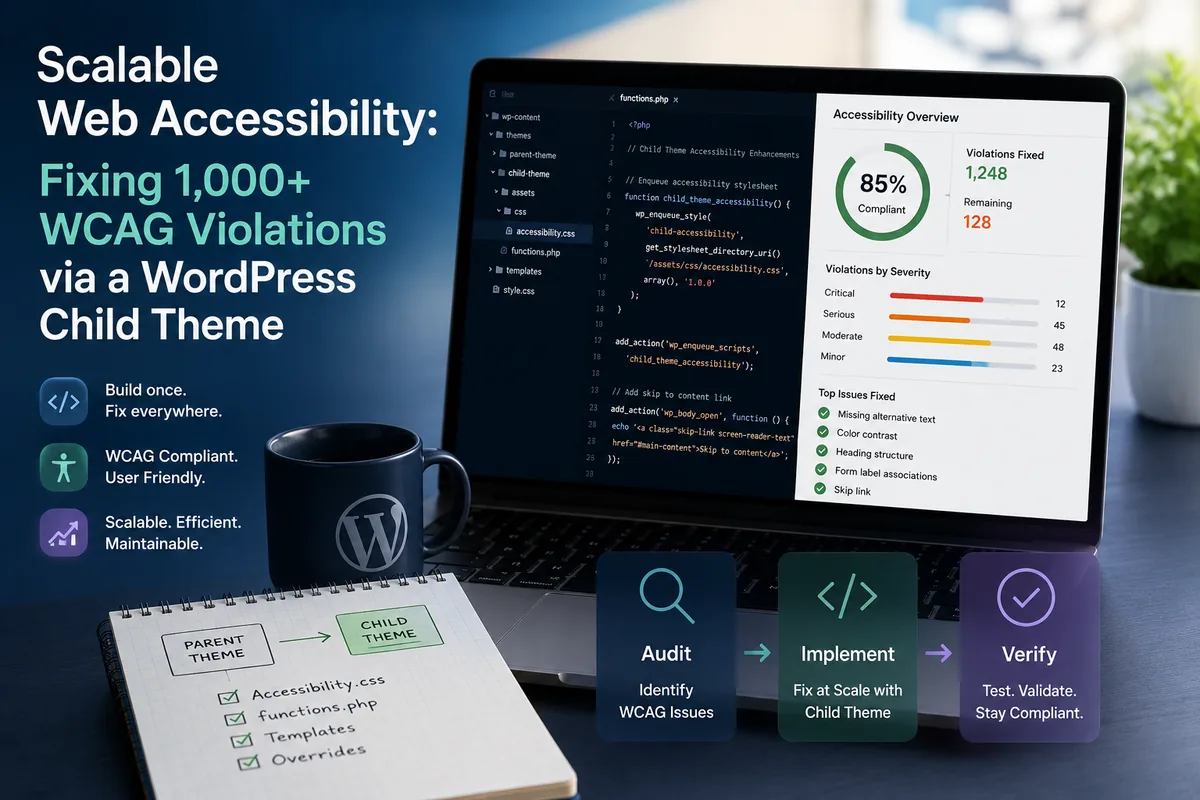
A WordPress site with a few thousand pages does not have a few thousand accessibility problems. It usually has ten or fifteen problems, repeated a few thousand times.
That distinction is the whole strategy. If a call-to-action button fails color contrast, it fails on every page that renders the button. Fix the button once in the right place and the violation clears everywhere at the same moment. Fix it page by page and you will still be working next year.
The short answer
Do WordPress accessibility remediation in a child theme, at the source, so the corrected markup and styles are part of the HTML your server sends. Theme-level changes cascade across every page that uses the template, and a child theme survives parent theme and plugin updates. Runtime JavaScript that patches the DOM after load is an anti-pattern for your own templates, because it changes what a browser paints without changing what your server actually serves.
Why theme-level, and why source-level
Two separate arguments, and both matter.
Theme-level, because it cascades and it survives updates. A change in a child theme applies to every page rendered through that template. And because a child theme is a separate directory that WordPress loads on top of the parent, updating the parent theme does not overwrite your work. Teams that edit parent theme files directly get one clean audit, then quietly regress the next time the theme ships an update, which is one of the most common ways a completed remediation project unwinds.
Source-level, because that is what gets tested. This is the part teams underestimate. When an investigator, a procurement reviewer, or a plaintiff’s expert evaluates your site, they test the HTML your server returns. A screen reader builds its accessibility tree from the document as delivered and parsed. A search crawler indexes what it receives.
If your fix lives in a script that rewrites the DOM after the page loads, none of those consumers necessarily see it. The served HTML is unchanged. You have altered the picture in one browser session without altering the artifact anyone will actually examine, and you have no defensible record that the underlying page conforms.
That is why everything below works the same way: change what the server sends.
Global CSS overrides in the child theme
Start here, because contrast and focus problems are the highest-volume, lowest-effort category on most sites. WebAIM’s annual analysis of the top one million home pages, run in February 2026, found low-contrast text on 83.9 percent of home pages, making it the single most common detectable failure on the web.
Enqueue a stylesheet from your child theme’s functions.php:
<?php
// functions.php in your child theme.
// Loads after the parent stylesheet, so these rules win on specificity ties.
add_action( 'wp_enqueue_scripts', function () {
    wp_enqueue_style(
        'child-a11y',
        get_stylesheet_directory_uri() . '/accessibility.css',
        array( 'parent-style' ),
        '1.0.0'
    );
}, 20 );
Then write the corrections in accessibility.css. The values below are generic examples chosen to demonstrate the math, not any particular institution’s palette:
/* 1. Contrast. A mid-tone brand color on white often lands near 3:1.
   Darkening it until it clears 4.5:1 satisfies WCAG 1.4.3 for body text
   while staying recognisably the same hue. Example only: check your own
   values with a contrast checker before shipping. */
:root {
  --brand-accent: #b45309;      /* darkened from a lighter orange, ~4.7:1 on white */
  --brand-secondary: #0f6b6b;   /* darkened from a lighter teal,   ~4.8:1 on white */
}

a,
.entry-content a {
  color: var(--brand-accent);
  text-decoration: underline;   /* 1.4.1, do not signal links by color alone */
  text-underline-offset: 3px;
}

/* 2. Visible focus. Many themes remove the default outline and never
   replace it, which breaks 2.4.7 for every keyboard user. */
a:focus-visible,
button:focus-visible,
input:focus-visible,
select:focus-visible,
textarea:focus-visible,
[tabindex]:focus-visible {
  outline: 3px solid var(--brand-accent);
  outline-offset: 2px;
  border-radius: 2px;
}

/* 3. Target size. WCAG 2.2 adds 2.5.8, a 24 by 24 CSS pixel minimum
   for pointer targets. Footer and utility links are the usual offenders. */
.site-footer a,
.utility-nav a,
.pagination a {
  display: inline-block;
  min-height: 24px;
  min-width: 24px;
  padding: 6px 8px;
}

/* 4. Do not suppress focus for mouse users only to lose it for everyone. */
*:focus:not(:focus-visible) {
  outline: none;
}
Every one of those rules ships in a stylesheet your server delivers. Load the page with JavaScript disabled and the corrections are still there, which is the test that separates a real fix from a cosmetic one.
Structure and ARIA at the source
Contrast is the easy half. Landmarks, navigation labels, and ARIA are where teams reach for a script, and where they should not.
The failure modes are consistent across institutional WordPress sites:
- No
<main>landmark, so screen reader users cannot jump to the content - Two or more
<nav>elements with no accessible names, announced identically as “navigation” - Page builder output carrying invalid ARIA, such as
aria-expandedon an element with no expandable relationship, orrolevalues that contradict the element
Fix each in the template, not after load.
Add the main landmark to the theme template. In your child theme, copy the relevant template file from the parent and wrap the content region:
<?php
// page.php or index.php in the child theme.
get_header(); ?>

<main id="main-content" class="site-main">
  <?php
  while ( have_posts() ) :
      the_post();
      get_template_part( 'template-parts/content', get_post_type() );
  endwhile;
  ?>
</main>

<?php get_footer();
Name the navigation regions in the template. Two nav elements are fine. Two unnamed nav elements are not:
<?php
// header.php, primary navigation
wp_nav_menu( array(
    'theme_location'  => 'primary',
    'container'       => 'nav',
    'container_class' => 'primary-nav',
    // Gives the landmark an accessible name: "Main navigation"
    'container_aria_label' => __( 'Main navigation', 'child-theme' ),
) );
?>

<?php
// footer.php, secondary navigation
wp_nav_menu( array(
    'theme_location'  => 'footer',
    'container'       => 'nav',
    'container_class' => 'footer-nav',
    'container_aria_label' => __( 'Footer navigation', 'child-theme' ),
) );
Correct the page builder rather than patching its output. If a builder emits invalid ARIA, the durable options are to configure the module correctly, update it if the issue is fixed upstream, or replace that component with an accessible pattern from the W3C ARIA Authoring Practices Guide. Patching a builder’s markup after render means re-patching it after every builder update, forever.
Once these live in the template, the served HTML carries the correct structure on every page. That is the outcome you can point at in an audit.
Runtime JavaScript as a last resort
There is one legitimate use for DOM patching: markup you genuinely cannot reach at the source. A third-party scheduling widget, an embedded payment form, a vendor-hosted catalog iframe’s surrounding wrapper. You do not own the code and you cannot change what that vendor serves.
For those cases only, and knowing what it does not buy you:
// child-theme/js/embed-a11y-stopgap.js
// LAST RESORT. Use only for third-party markup you cannot fix at the source.
// This does NOT change the HTML your server sends, so it does not create a
// defensible record of conformance for your own templates. Fix those in PHP.
( function () {
  'use strict';

  function labelVendorControls( root ) {
    // Example: a vendor embed renders icon-only buttons with no accessible name.
    root.querySelectorAll( '.vendor-embed button:not([aria-label])' ).forEach( function ( btn ) {
      if ( btn.textContent.trim() === '' ) {
        var hint = btn.getAttribute( 'data-action' ) || 'Open';
        btn.setAttribute( 'aria-label', hint );
      }
    } );
  }

  document.addEventListener( 'DOMContentLoaded', function () {
    labelVendorControls( document );

    // Vendor embeds often render late or re-render on interaction.
    var host = document.querySelector( '.vendor-embed-host' );
    if ( ! host ) {
      return;
    }
    new MutationObserver( function () {
      labelVendorControls( host );
    } ).observe( host, { childList: true, subtree: true } );
  } );
}() );
Be clear-eyed about the tradeoffs. This depends on the script loading and executing. It runs after the user may already have started reading. It does nothing for a tool that fetches your HTML without executing scripts. And it needs revisiting whenever the vendor changes their output.
Use it to reduce real harm for real users while you pursue the actual fix, which is usually a conversation with the vendor, a request for their conformance documentation, or a decision to replace the component. Do not use it on markup your own theme generates.
The same logic is why accessibility overlays do not resolve compliance obligations: a script that adjusts the page in the visitor’s browser leaves the served HTML untouched, and the served HTML is what gets tested. We covered that distinction in more detail in our comparison of ADA compliance tools.
Keeping it fixed
Remediation is not the end of the work, because a WordPress site keeps publishing. A department adds a page from an old template. Someone uploads an image without alternative text. A plugin update changes the markup of a component you already corrected.
That is where continuous scanning earns its place. Schedule a full-site scan, alert on score drops and new critical violations, and treat a regression as a bug with an owner rather than something discovered a year later during an audit.
Be honest about what theme-level work achieves. It clears the large, repetitive, programmatic failures that dominate most sites, which is a substantial share of what an automated tool can detect. It does not clear judgement-based criteria. Whether alternative text is meaningful, whether reading order makes sense in an unusual layout, whether a custom widget is genuinely operable end to end, all still need a person. The W3C is direct about this in its guidance on evaluating accessibility: “no tool alone can determine if a site meets accessibility standards. Knowledgeable human evaluation is required to determine if a site is accessible.”
Where the work happens
Worth separating two things that often get blurred.
GuardGrid is the measurement layer. It crawls every page, tests against the WCAG success criteria, names the exact failing element and the criterion it breaks, shows the violation marked in place on a screenshot of the page, tracks each finding from open to fixed with re-scan verification, and generates the dated evidence. It does not edit your theme, rewrite your code, or write changes back into WordPress.
The hands-on work described in this article, editing the child theme, correcting templates, reconfiguring builders, is done by people. When your team does not have the capacity, our ADA compliance remediation service puts College Inbound and Revion Solutions engineers in your codebase to make those changes and verify them.
If you want to see which of these patterns your own site has, run a free scan and start from your real findings. And if you want to know which violations to expect before you look, we broke down the five most common WCAG violations on college websites, including how each one fails for assistive technology users and how automated scanning detects it.
Frequently asked questions
Why fix accessibility in a child theme instead of the parent theme?
A child theme keeps your changes separate from the parent theme's files, so a theme or plugin update cannot overwrite them. Edits made directly to a parent theme are lost the next time it updates, which is how sites silently regress months after a remediation project finishes.
Will a CSS override actually fix a contrast violation?
Yes, when the CSS ships from your server as part of the page. A stylesheet enqueued by your child theme is part of the document the browser receives, so the computed color really does change for every visitor and for any tool testing the page. That is different from a script that repaints elements after load.
Can I just use JavaScript to patch accessibility problems after the page loads?
Only as a stopgap for markup you genuinely cannot reach, such as a third-party embed. Runtime patching does not change the HTML your server sends, so it creates no durable record of conformance and it depends on the script loading and running correctly for every user. Fix your own templates at the source instead.
How many pages does a theme-level fix actually cover?
Every page that renders through the template or loads the stylesheet you changed, which on a typical institutional site means the whole property at once. That is the entire argument for working at the theme level rather than editing pages one at a time.
Does fixing the theme make the site fully WCAG conformant?
No. Theme-level work clears the large, repetitive, programmatic failures that dominate most sites. Judgement-based criteria still need human review, including whether alternative text is meaningful, whether reading order makes sense, and whether a complex widget is genuinely operable. Automated testing and manual review are complements, not substitutes.